PBMA Files
Portable Bit Map (ASCII)
PBMA is the ASCII version of the portable bitmap (PBM) format,
a lowest common denominator
monochrome file format. It was originally designed to make it reasonable
to mail bitmaps between different types of machines. Now it serves as
the common language of a large family of bitmap conversion filters.
The definition is as follows:
-
the typical file extension is ".pbm", but an extension of
".pnm" is also occasionally used.
-
A "magic number" for identifying the file type. An
ASCII PBM file's magic number is the two characters "P1".
-
Whitespace (blanks, TABs, CRs, LFs).
-
A width, formatted as ASCII characters in decimal.
-
Whitespace.
-
A height, again in ASCII decimal.
-
Whitespace.
-
Width * height bits, each either '1' or '0', starting at the top-left
corner of the bitmap, proceeding in normal English reading order.
The character '1' means black, '0' means white.
Whitespace in the bits section is ignored.
Characters from a "#" to the next end-of-line are ignored (comments).
No line should be longer than 70 characters.
Example ASCII PBM file:
P1
# feep.pbm
24 7
0 0 0 0 0 0 0 0 0 0 0 0 0 0 0 0 0 0 0 0 0 0 0 0
0 1 1 1 1 0 0 1 1 1 1 0 0 1 1 1 1 0 0 1 1 1 1 0
0 1 0 0 0 0 0 1 0 0 0 0 0 1 0 0 0 0 0 1 0 0 1 0
0 1 1 1 0 0 0 1 1 1 0 0 0 1 1 1 0 0 0 1 1 1 1 0
0 1 0 0 0 0 0 1 0 0 0 0 0 1 0 0 0 0 0 1 0 0 0 0
0 1 0 0 0 0 0 1 1 1 1 0 0 1 1 1 1 0 0 1 0 0 0 0
0 0 0 0 0 0 0 0 0 0 0 0 0 0 0 0 0 0 0 0 0 0 0 0
ASCII PBM File Characteristics:
-
ASCII
-
black and white
-
2D
-
No compression
-
1 image
Related Data and Programs:
The PBMB data directory
describes binary Portable Bit Map files.
The PGMA data directory
describes ASCII Portable Gray Map files.
The PPMA data directory
describes ASCII Portable Pixel Map files.
Reference:
-
the NETPBM homepage.
Programs to create an ASCII PBM file:
Programs and routines to read an ASCII PBM file:
Programs and routines to write an ASCII PBM file:
Programs to view an ASCII PBM file:
-
AVS
includes a module read_any_image which can read
an ASCII PBM file;
-
GIMP,
the GNU Image Manipulation Program, can read and display
an ASCII PBM file.
-
The
ImageVision
program imgview can display an ASCII PBM file.
-
MATLAB can display
an ASCII PBM file, once it is read in, with a command
like image(A).
-
xv
can read and display an ASCII PBM file.
Programs to convert an ASCII PBM file to another format:
-
convert, a program supplied with
ImageMagick,
can convert an ASCII PBM file to
BMP, CGM, EPS, FIG, FITS, GIF, JPG, PBM, PDF, PGM, PNG, PNM,
PPM, PS, RGB, TIF, XBM or XPM format.
-
GIMP,
the GNU Image Manipulation Program, can read an ASCII PBM file
and write out a copy in a variety of formats.
-
PBMTOASCII, a program that is part of
NETPBM,
can read an ASCII PBM file and write out it out as ASCII graphics.
-
xv can read
an ASCII PBM file and write out a copy in BMP, FIT, GIF, JPG,
PGM, PPM, RGB or TIF format.
Programs to convert a file to ASCII PBM format:
-
convert, a program supplied with
ImageMagick,
can convert a
BMP, CGM, EPS, FIG, FITS, GIF, JPG, PBM, PDF, PGM, PNG, PNM,
PPM, PS, RGB, TIF, XBM or XPM file to ASCII PBM format.
However, to force the ASCII format, you must include the switch
"-compress none".
-
GIMP,
the GNU Image Manipulation Program, can read a file in a
variety of formats, and write it out as an ASCII PBM file.
-
xv can read a file in a
BMP, FIT, GIF, JPG, PGM, PPM, RGB or TIF format, and write it out
as an ASCII PBM file.
Sample ASCII PBM files:
In some cases, the viewing program may be confused by the
extension "pbma", which is simply my way of discriminating
between ASCII PBM files and binary PBM files (which I give
the extension "pbmb"). If your viewer doesn't want to display
one of these files, you might have better luck by changing the
file's extension to the more standard "pbm".
-
circle.pbma, a circle,
drawn on a 200 by 200 grid;
-
feep.pbma, the example described above
on a 24 by 7;
-
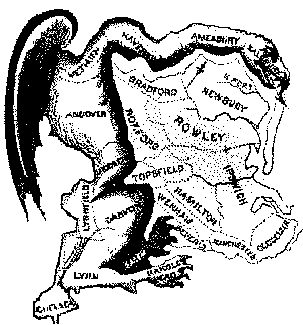
gerrymander.pbma,
an image of the "Gerry-mander", on a 303 by 325 grid;
-
letter_a.pbma, a capital A,
using a 25 by 25 grid.
-
pbmlib.pbma, a file created by PBMLIB,
on a 200 by 200 grid;
-
scs.pbma, the letters "SCS",
on a 136 by 82 grid;
You can go up one level to
the DATA page.

Last revised on 01 September 2006.